How CycleWright connects to your machines
Each machine gets a small PLC (an AutomationDirect CLICK by default), wired to the same standard signals no matter who built the machine or how old it is. The plant server reads those PLCs over Modbus TCP. That means no OPC server license, no per-brand connector, and no machine left out because of its age.
| Signal | Typical source on the machine |
|---|---|
| Power | Control power or pump contactor |
| Auto | Auto or semi-auto mode, cycle lamp, or the EUROMAP 67 robot interface |
| Alarm | Red tower light or alarm output |
| Heats | Heater contactor or at-temperature output |
| Cycle | Mold-open or ejector pulse into a PLC counter |
| Aux equipment | TCUs, chillers, dryers, robots and conveyors, through relays |
Data straight from the machine: EUROMAP 63, EUROMAP 77 and OPC UA
Presses with the EUROMAP 63 (file exchange) or EUROMAP 77 (OPC UA) option can also report their own data: exact cycle counts, the measured cycle, fill and plasticizing times, reject counters and auto/manual mode. That turns utilization numbers into full OEE.
Interlocks stay on the PLC, so they keep working if the machine's data link drops. An OPC UA driver also covers vendor OPC UA models and plants that already use Kepware. A machine can even run on EUROMAP 63 or 77 alone, for monitoring without the harness.
What you see
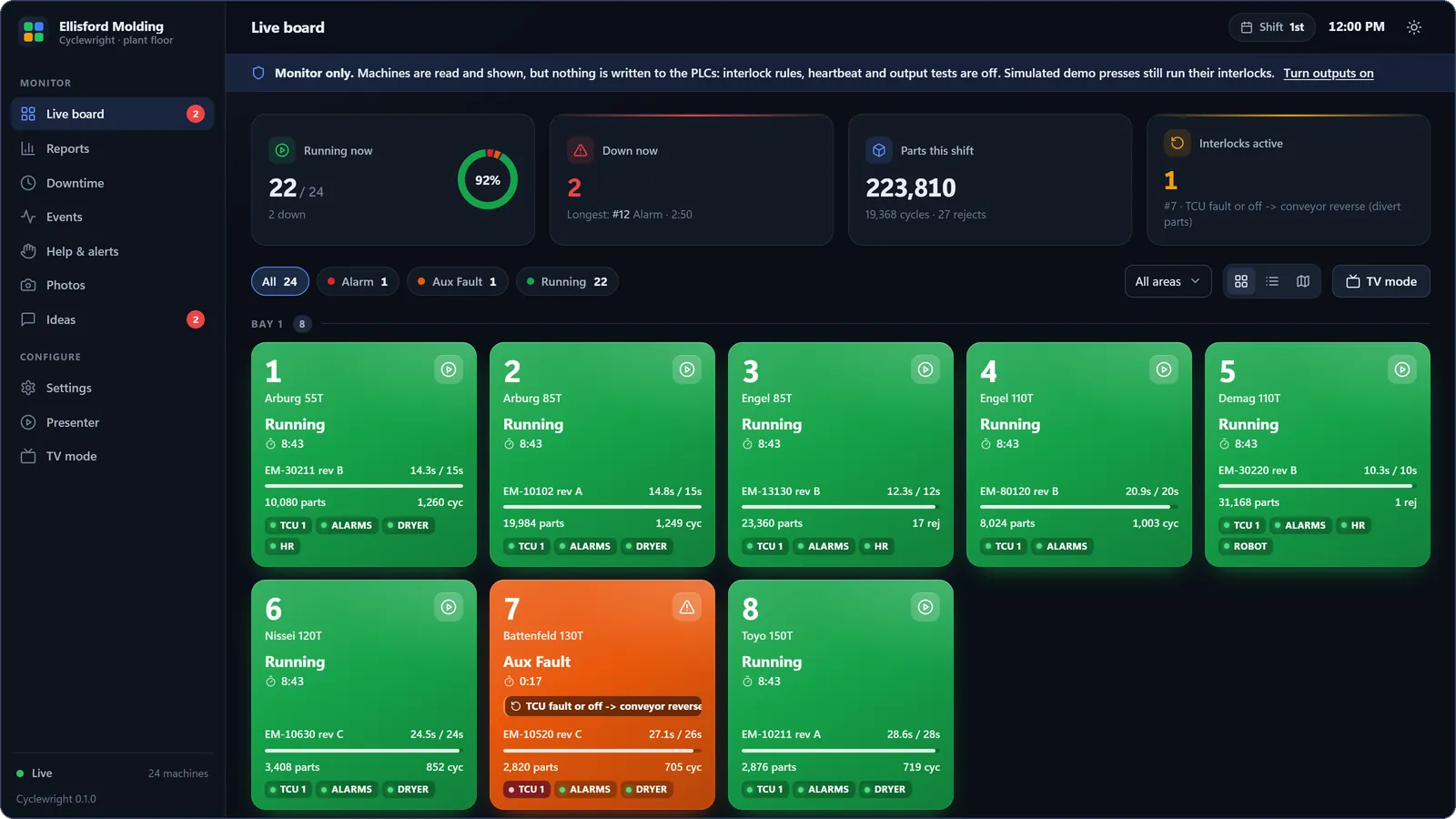
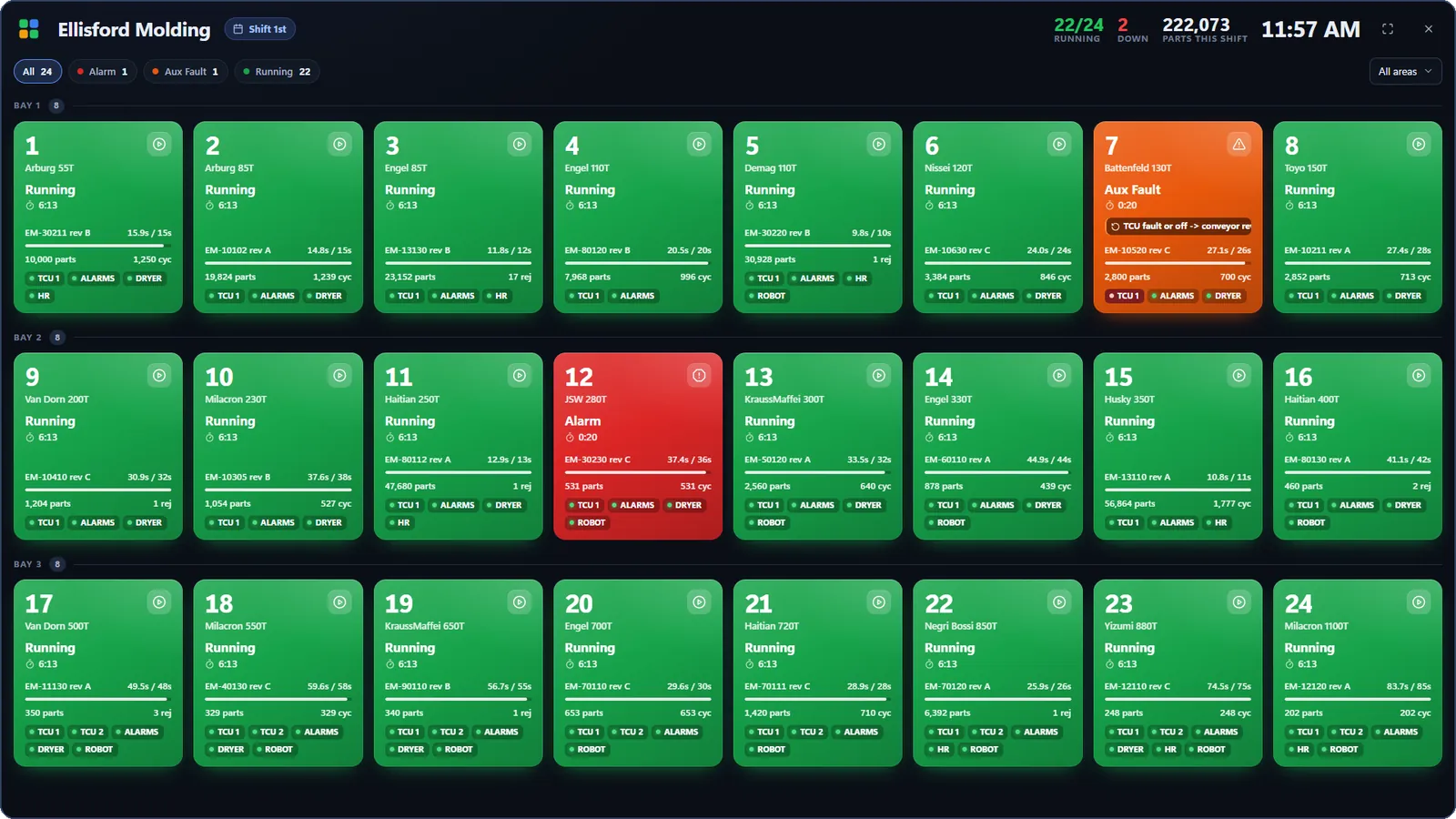
- Live board: one tile per machine. Green running, blue not in auto, red alarm, orange aux fault, yellow heats off, purple idle, black power off, gray no communication.
- TV mode and floor map: a full-screen board for shop-floor displays, and your own floor plan in live colors.
- Phones: a phone-friendly list on plant Wi-Fi, and the CycleWright phone app anywhere.
- Each machine's page: live signals, the cycle chart against the ideal, the job, parts, and the stops around it.
Downtime, OEE and reports
Every stop is logged automatically, to the second. Operators pick a reason at the press or from a supervisor's phone. Reports show utilization, availability, performance against the ideal cycle, cycles, parts and parts per hour, per machine and shift, and export to CSV. How OEE and downtime are measured.
Interlocks: the system acts, not just shows
Interlock rules are settings, not code: when a condition is true, write a value to an output. The built-in rule reverses the conveyor when a temperature controller (TCU) alarms or switches off, so suspect parts are diverted. Another diverts startup scrap while a press is out of auto. You can add your own from the settings screen, using conditions like status == 'alarm' and in_status_seconds() > 600.
Every install starts monitor-only, and only one program writes a given PLC bit. A heartbeat bit lets the PLC's own ladder logic fall back to local interlocks if the server ever stops.
Help calls, alerts and notifications
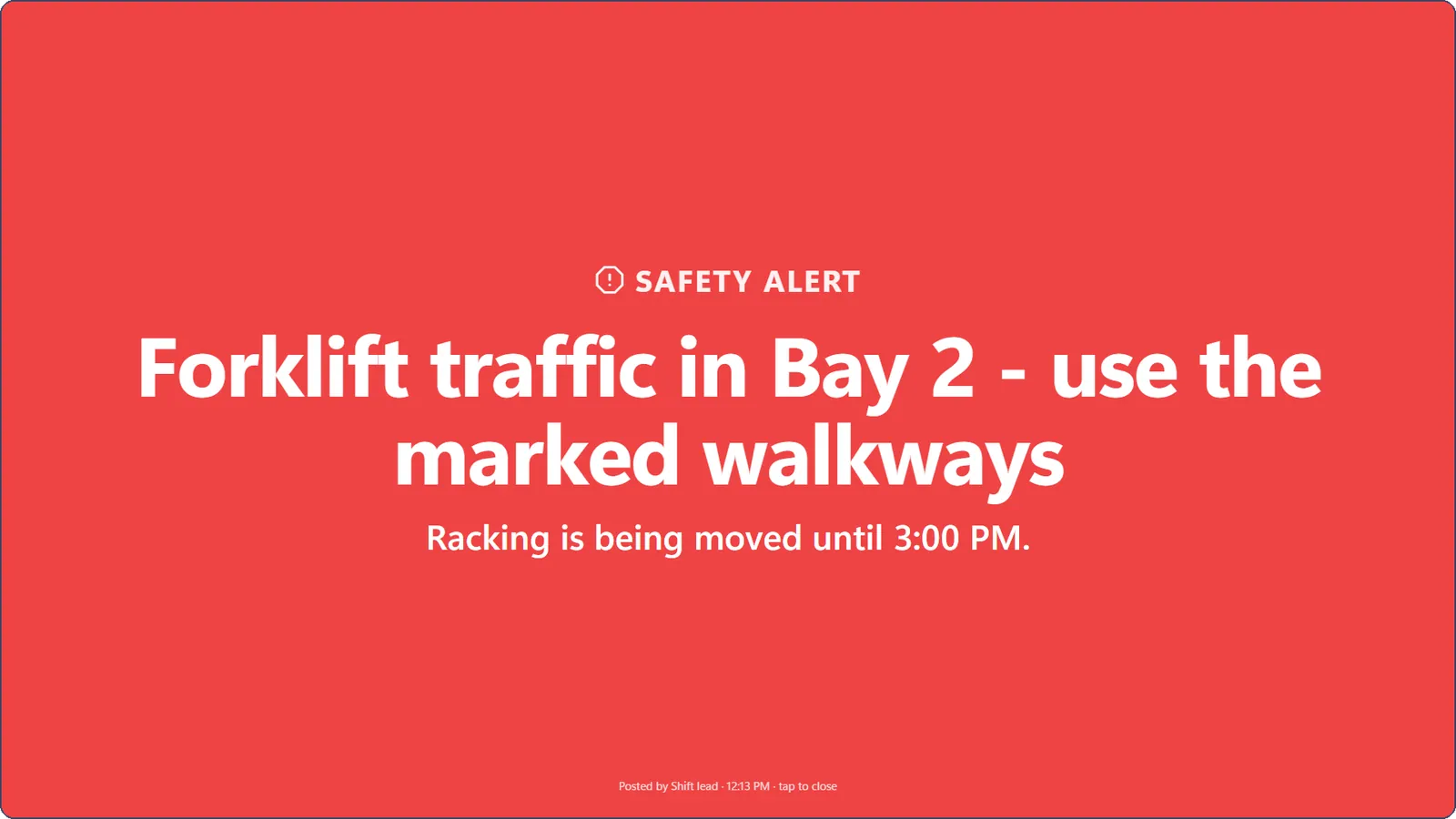
Every machine page has a "Call for help" button per role: quality, supervisor, process tech, engineer, maintenance and material. Open calls show on every board, TV and floor map with how long they've waited. They go to each role's Microsoft Teams, Slack, SMS or email, and escalate if nobody answers. Quality, production and safety alerts take over the TVs every few minutes until they're cleared.
Part weights from the scale
Ohaus or MT-SICS scales on RS-232 connect through Moxa NPort serial servers, wired or Wi-Fi. Each part's weight is tagged with the job, shown on the machine page, and sent to the ERP as inspections and SPC.
"What changed?" in plain language
On a machine's page, CycleWright compares the last hours with the week before (cycle, scrap, downtime and stop reasons) next to what happened around them: settings saved, job changes, notes and help calls. With CycleWright Cloud, an AI model explains the findings in plain language.
Installation and IT
- One Windows or Linux PC on the plant network runs the plant server. It needs no internet to monitor and run interlocks.
- Machines are added from templates: pick the brand and controller, enter the PLC's IP address, press Test connection.
- Every machine gets a printable wiring sheet, and a shared wiring library makes the next machine of the same model quicker.
- Updates are signed, the database is backed up first, and a version that fails to start rolls back by itself.